 Keystone
Guides / Single-table design
Single-table design
When several kinds of thing share one table, the grid on its own tells you very little. Keystone lets you tell it what each row is, and then uses that everywhere.
Entity types
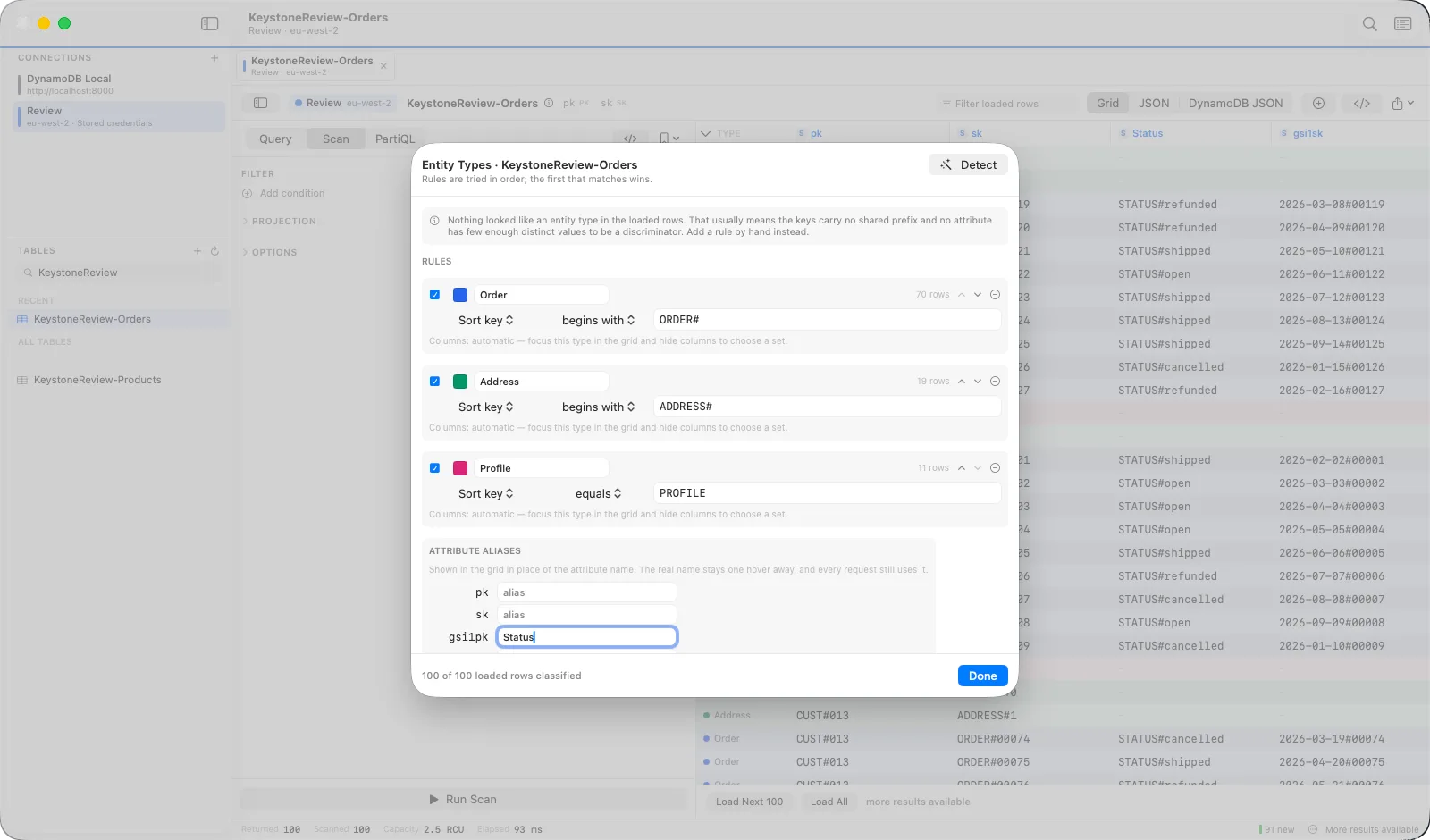
Open Entity Types… from the share menu. Press Detect and Keystone proposes rules from the loaded rows — a sort-key prefix such as ORDER#, or a discriminator attribute with a handful of values. Accept the ones that are right, or write rules by hand. Rows are then colour-coded and labelled in the leading strip. Rules are saved per table as JSON, so a team can share them.
Focusing on one type
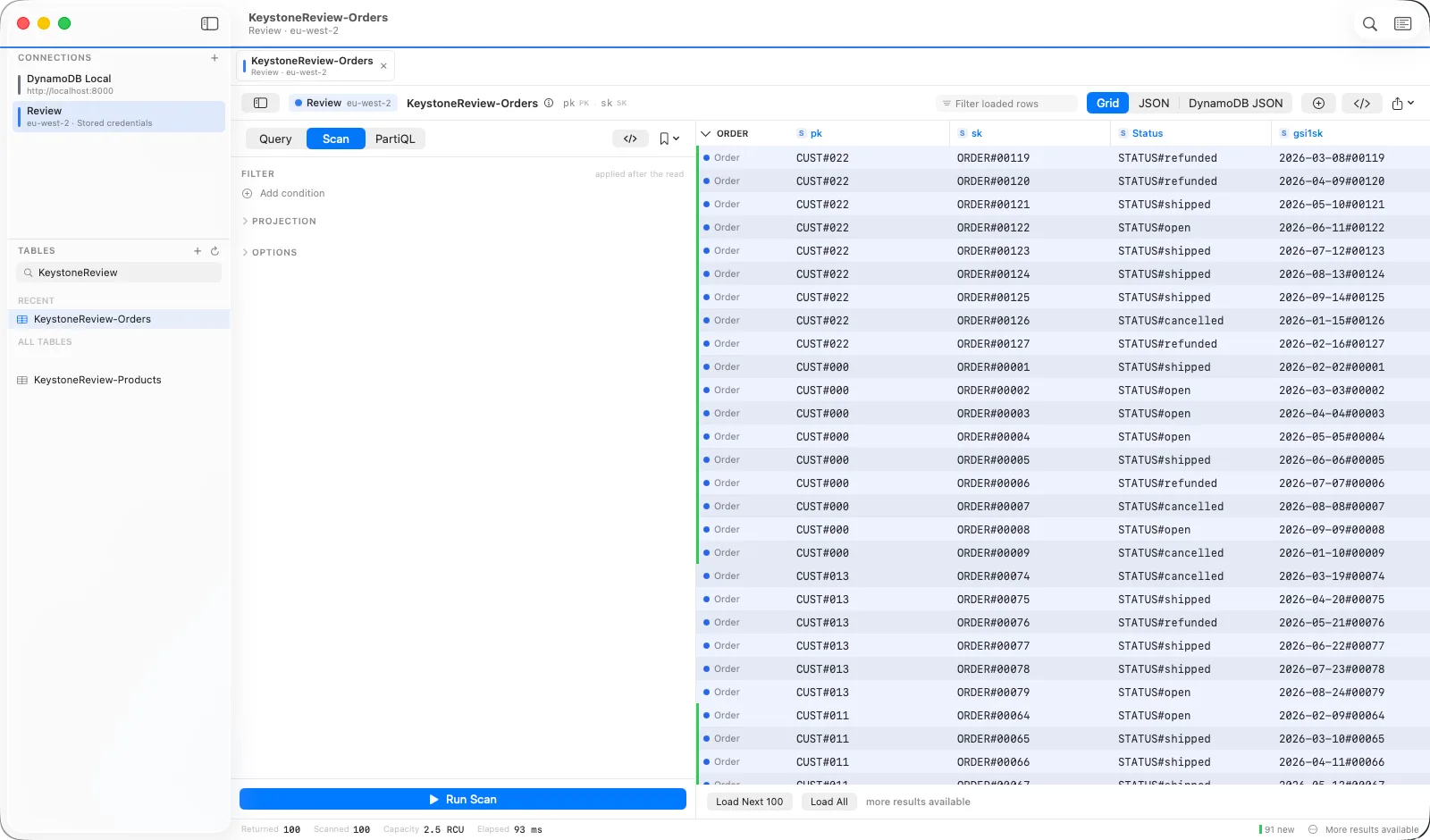
The strip's header becomes a picker. Choose a type and the grid shows only its rows, shaped to the attributes those rows actually have. Hide columns while focused to keep a custom set for that type.
Item collections
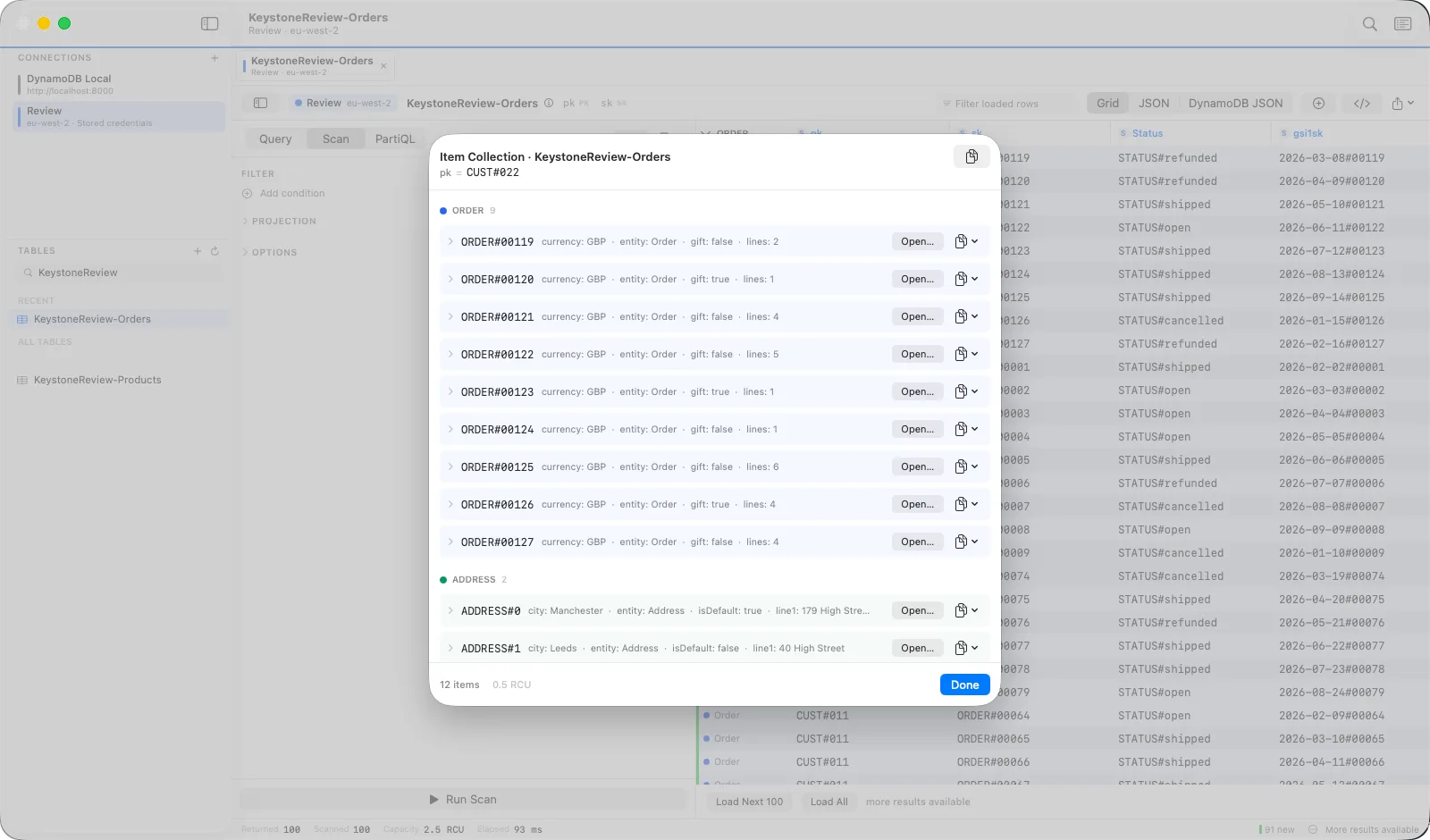
Right-click any row → Show Item Collection. Keystone runs one Query for that partition key and lays the results out by type — the customer, then their addresses, then their orders — each expandable to every attribute, with a button to open it in the editor.
Aliases
In the same sheet, give attributes readable names: gsi1pk becomes “Customer”. The grid shows the alias with the real name a hover away, and every request still uses the real name.