For Mac and iPad · One-time purchase
The DynamoDB client that feels like a Mac app.
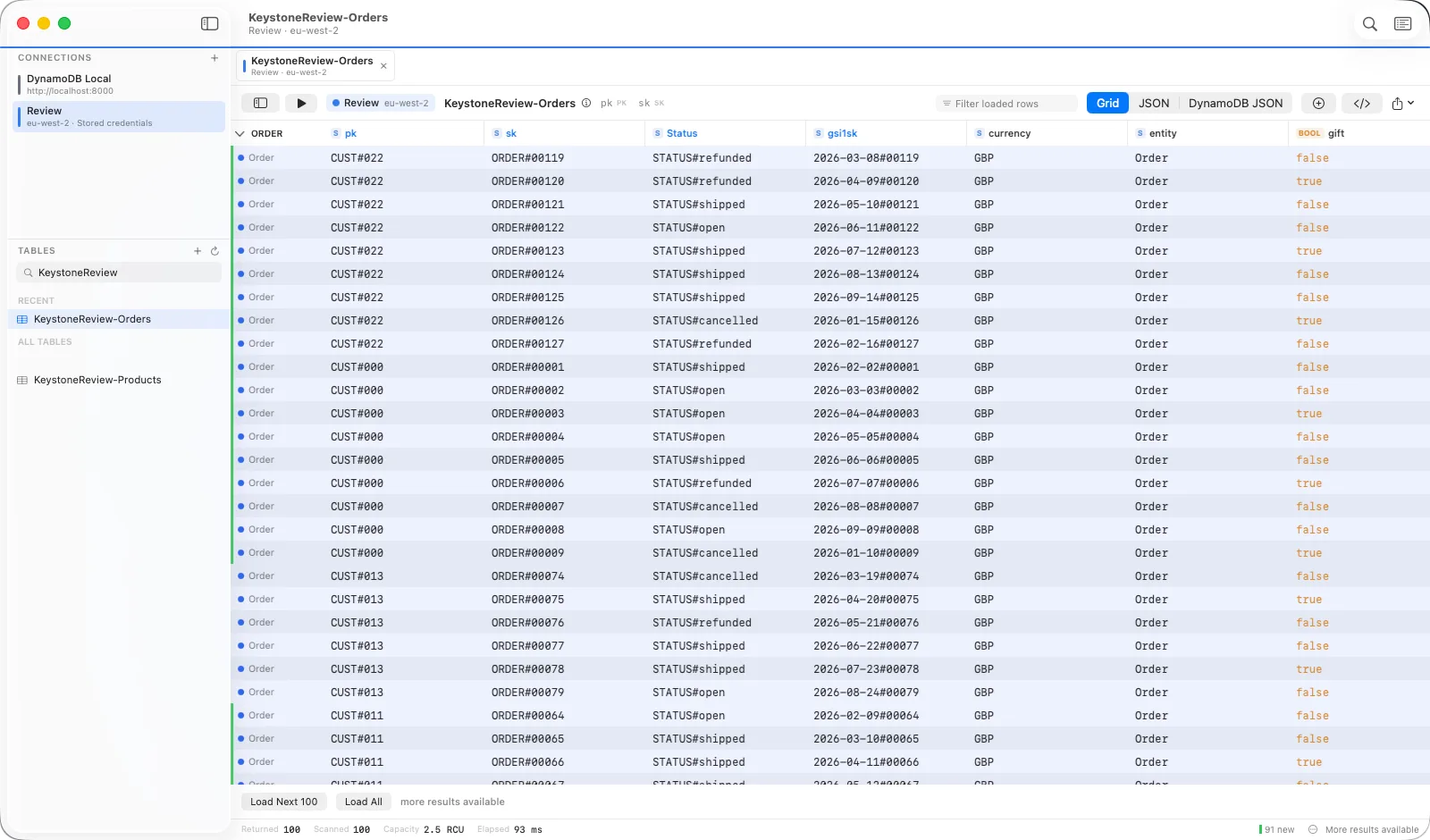
Keystone is a native DynamoDB GUI for macOS and iPadOS. Query, scan and PartiQL in a grid that keeps up, edit items with a diff before you save, and see a single-table design as the entities it actually holds.
No account. No server. No telemetry unless you turn it on. Requires macOS 14 Sonoma or iPadOS 17.
A real Mac and iPad app
Built for macOS and iPadOS rather than wrapped from a web page. Launches in under a second, scrolls 100,000 rows without a stutter, and behaves like the other apps on your Mac.
Built for single-table design
Entity types, one-type focus, item collections and attribute aliases. The parts of DynamoDB the console never learned to show.
Hard to hurt production
Production connections open read-only. Deletes and bulk writes preview exactly what they touch and make you type the table name. Edits can be reverted.
Single-table design
See the entities, not just the rows.
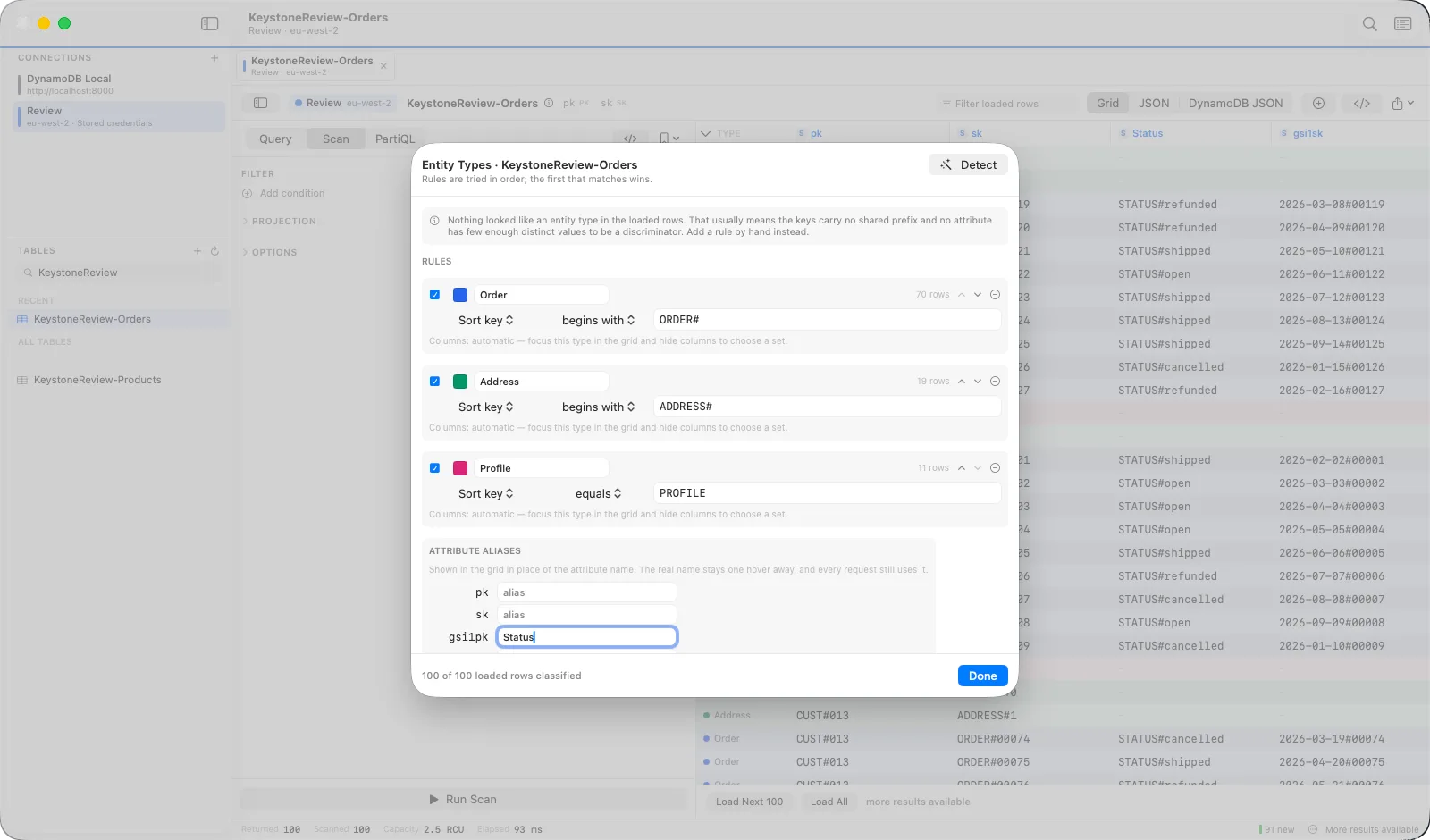
When customers, orders and addresses share one table, a plain grid tells you almost nothing. Tell Keystone what each row is once, and it uses that everywhere.
Entity types
Define a type by a key prefix like ORDER# or by a discriminator attribute, or press Detect and accept what Keystone proposes from the rows you have loaded. Every row gets a colour and a label. Rules are saved per table as JSON, so a team can share them.
Focus on one type
Pick a type and the grid shows only its rows, shaped to the attributes those rows actually carry. An order never gets an email column. Hide columns while focused and the layout is remembered for that type.
Type focus →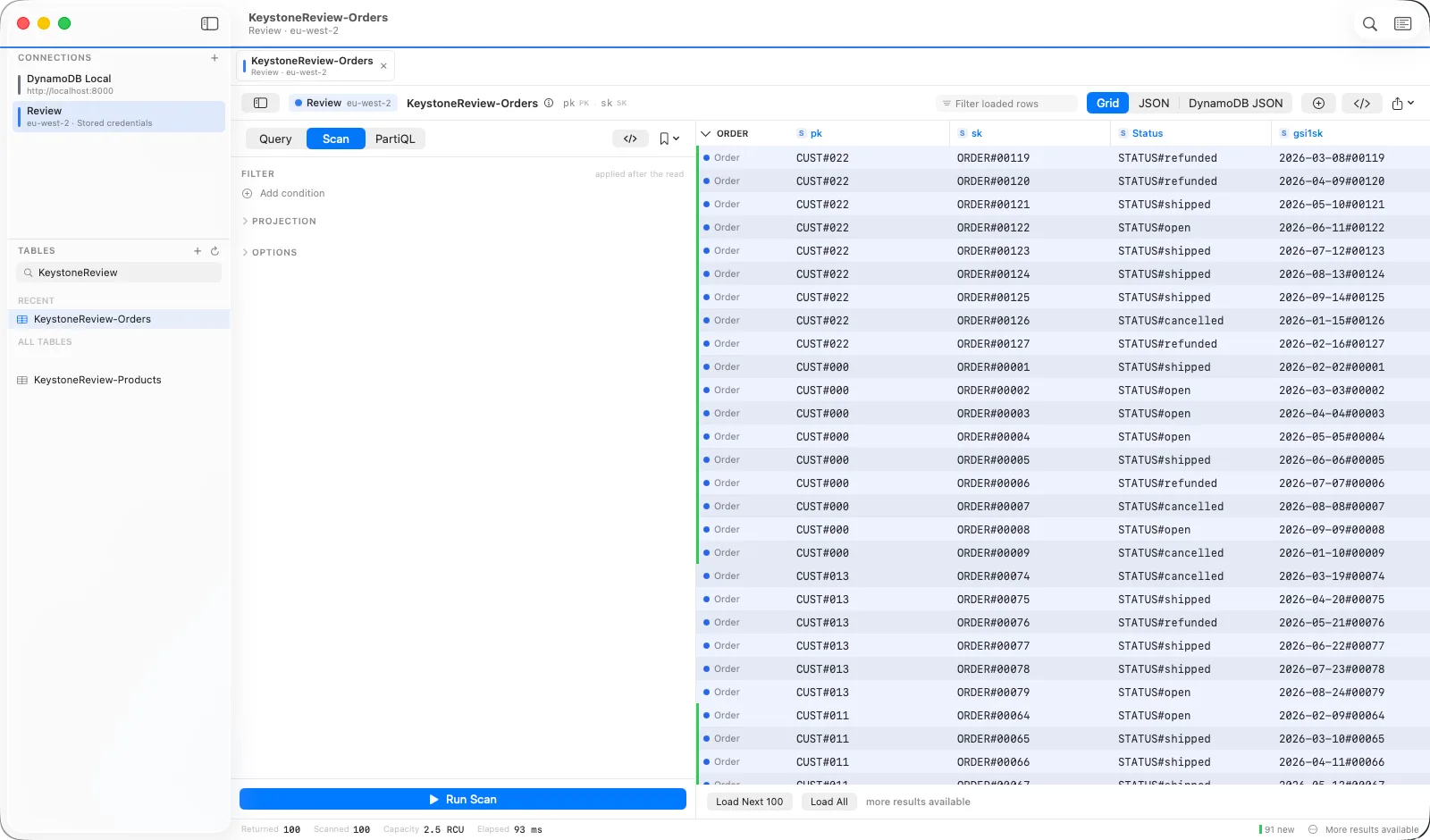
Item collections
Right-click any row and see everything that shares its partition key: the customer, then their addresses, then their orders, grouped by type and ordered by sort key. One query, every attribute a click away.
Item collections →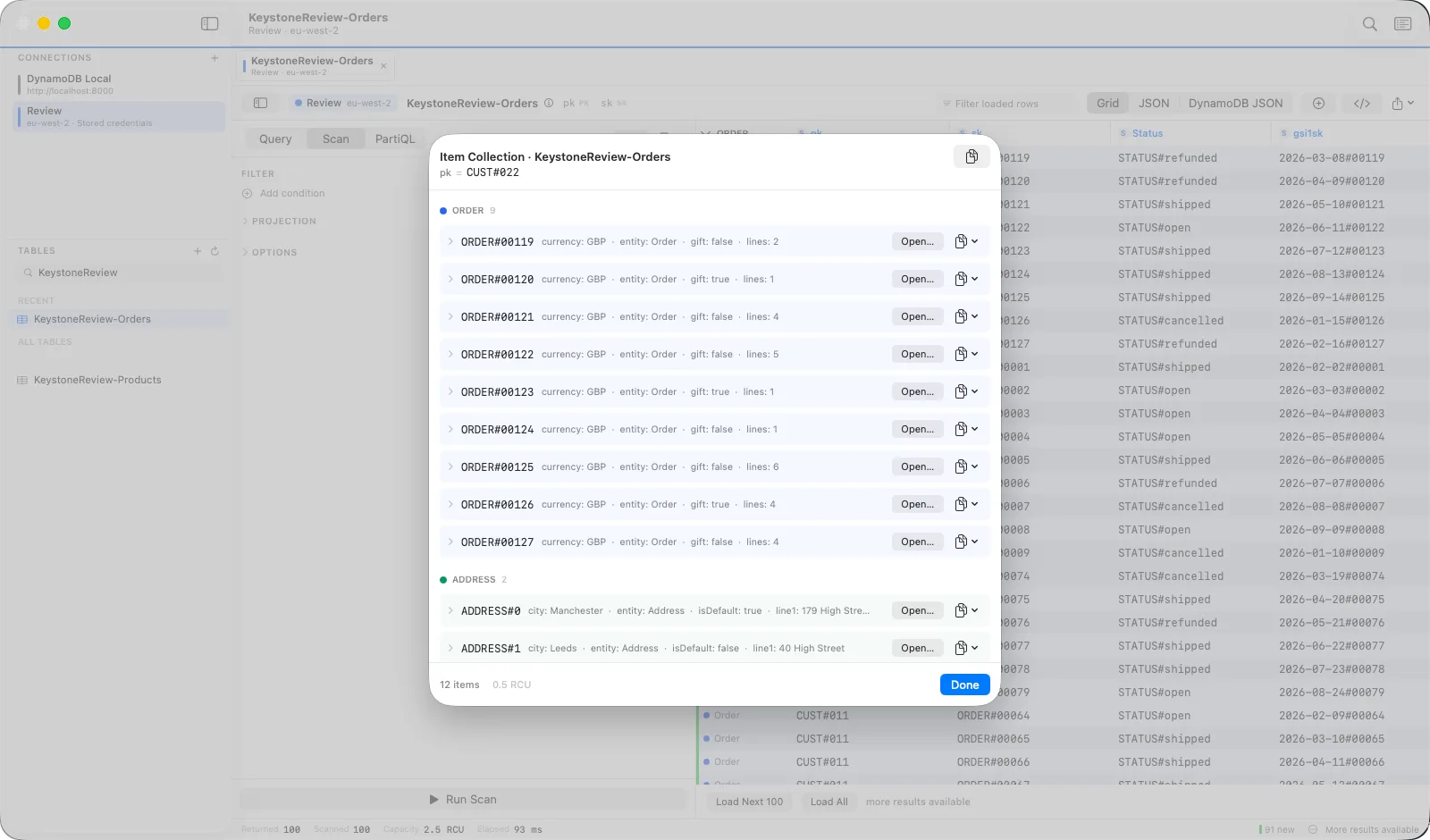
Everyday work
Everything you would expect, done properly.
The features you reach for fifty times a day, built so they never get in the way.
A grid that keeps up
Virtualised on both axes, frozen key columns, per-table layouts, changed-row highlighting on re-run, and copy as JSON, DynamoDB JSON, CSV or TSV.
Working with resultsQuery, scan and PartiQL
Visual key conditions and filters, raw expressions when you want them, and a PartiQL editor with parameters and batches. Every request lands in the operation log.
Querying guideSafe by default
Production connections open read-only. Destructive operations show their keys and ask for the table name. Edits made this session can be reverted.
The production lockEvery credential style
Shared profiles, assume-role chains, MFA, IAM Identity Center, credential_process, keys in the Keychain, and DynamoDB Local, detected automatically.
Connecting to AWSBulk without fear
Import, export, copy between tables and accounts, delete by query, and seed with generated data. Paced under a capacity ceiling and retried on throttling.
Import and exportCode you can paste
The exact operation as JavaScript SDK v3, boto3 or AWS CLI, regenerated live as you edit. Do it by hand once, then ship it.
Generated code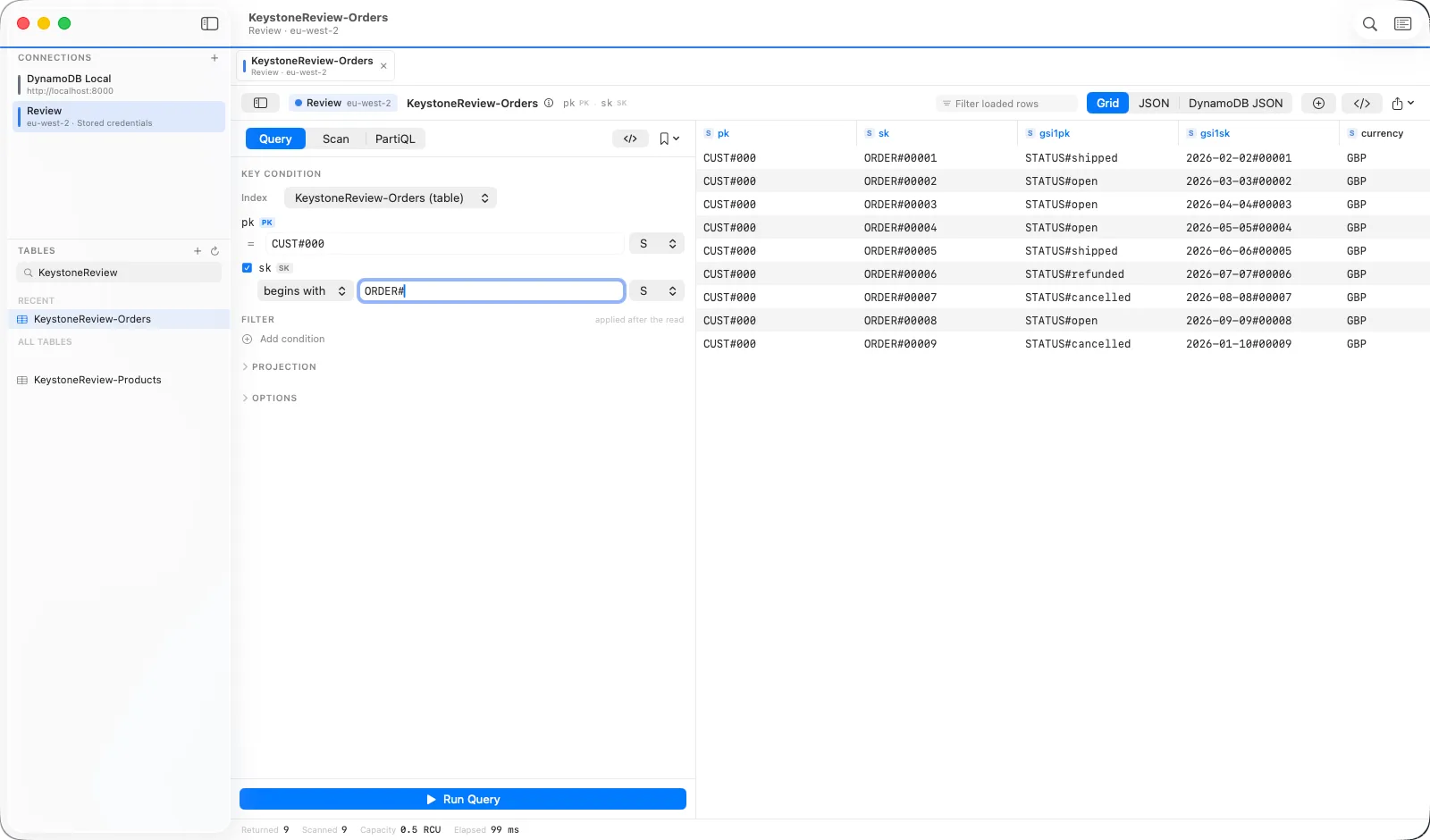
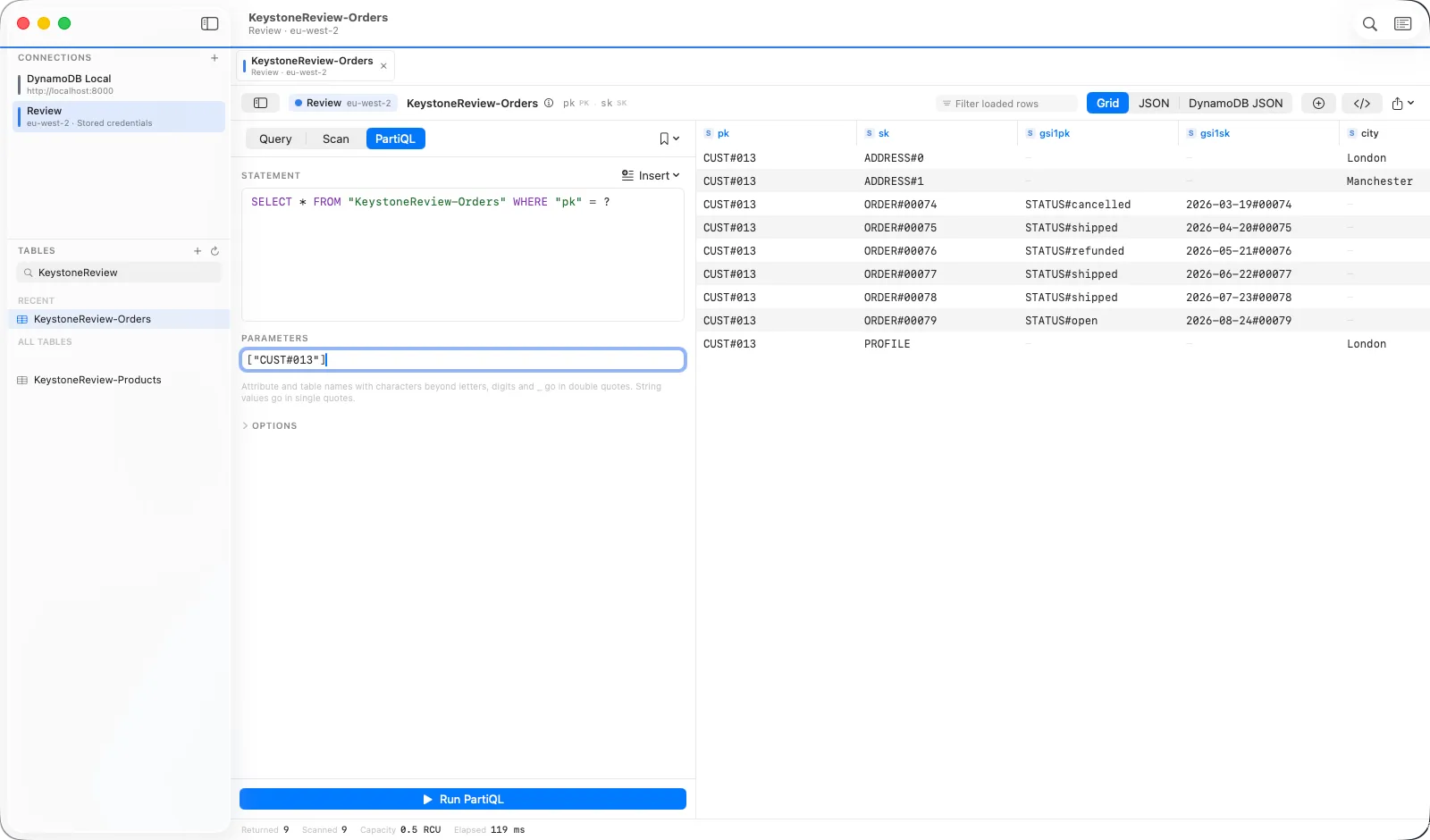
?, several statements as one batch, writes behind the production lock.Safety and privacy
Nothing leaves your machine except to AWS.
There is no Keystone account and no Keystone server. Credentials go in the Keychain. Query history records table and attribute names, never item data. Crash reports and usage analytics are off until you turn them on, and the app shows you exactly what each would contain first.
- Production lock. Connections you mark as production open read-only every time.
- Typed confirmation. Deletes and bulk writes count what they will touch, then ask for the table name.
- Diff before save. The item editor shows what changed and sends only that, with optional optimistic concurrency.
- Operation log. Every request the app makes, with its body, duration, retries and consumed capacity.
- Capacity ceiling. Bulk operations pace themselves so an import never starves the table.
Pricing
Buy it once.
Keystone is a one-time purchase on the App Store, not a per-seat subscription. Updates ship through the App Store like any other app.
Mac
macOS 14 Sonoma or later. Apple silicon and Intel. Reads your ~/.aws profiles once you grant access.
iPad
iPadOS 17 or later. Same grid, same builder, same safety rails. Credentials sync with iCloud Keychain if you let them.
Is it a subscription?
No. Keystone is a one-time purchase on the App Store. AWS bills you for reads and writes exactly as it would from any other client, and the status bar shows the consumed capacity of every request.
Does any of my data go through your servers?
There are no Keystone servers. The app talks to AWS endpoints with your credentials, or to a local endpoint you configure, and nowhere else. Credentials live in the Keychain.
Does it work with DynamoDB Local and LocalStack?
Yes. Add a Local endpoint connection and press Detect. Any credentials will do.
Which credential types are supported?
Access keys, shared profiles from ~/.aws including assume-role chains and credential_process helpers, IAM Identity Center sign-in, MFA prompts, and stored keys in the Keychain.

Open the table. Find the item. Fix it. Paste the code.
Keystone is the DynamoDB client a backend engineer keeps open all day next to the editor.
Get Keystone on the App Store