 Keystone
Guides / Import, export and bulk operations
Import, export and bulk operations
Everything here is under the share button at the right of the table header.
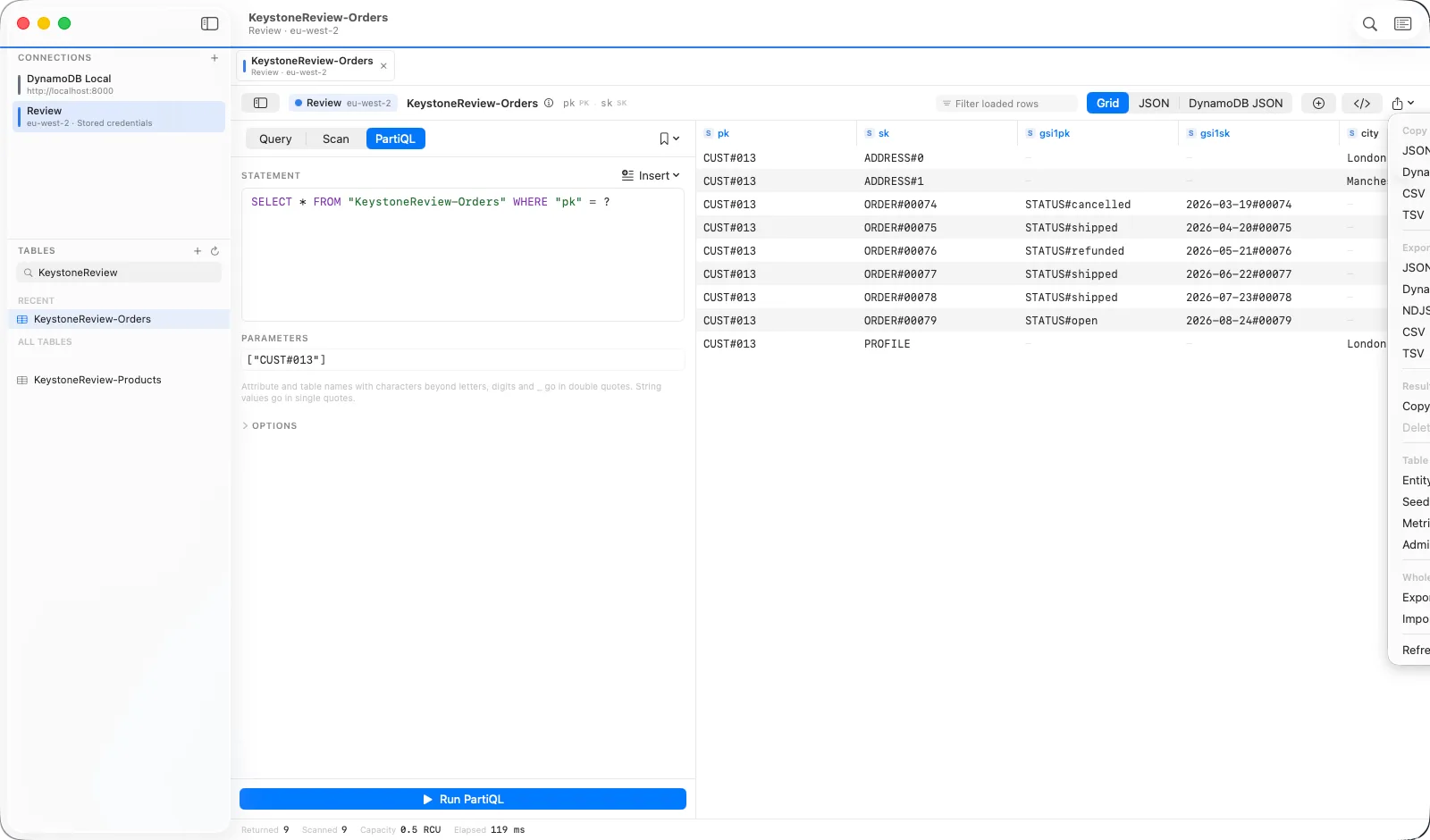
Export what is loaded
Copy Result Set puts the loaded rows on the clipboard; Export to File writes them. Formats: JSON, DynamoDB JSON, NDJSON, CSV and TSV. DynamoDB JSON is the only lossless one — it keeps every type exactly, so it can be imported back unchanged.
Export a whole table
Export Entire Table scans in the background and streams to the file as it goes, so a table too big to load still exports. You can stop and resume from where it got to.
Import
Import from File takes CSV or TSV with a column-to-attribute mapping and a type per column, or JSON, NDJSON and DynamoDB JSON. A dry run reports what would be written without writing it. Writes are paced under the capacity ceiling in Settings and retried on throttling, so an import will not starve the rest of the table.
Copy items to another table
Send the selected rows, or everything the current query matches, to any table on any connection — another region or another account included. Items are written with put semantics, so an existing item with the same key is replaced.
Delete all matching items
Reads the keys of everything the current query or scan matches first, so the confirmation shows the exact count, then asks you to type the table name. Only then does it delete, in paced batches.
Seed with generated data
Describe the fields you want — names, emails, UUIDs, timestamps, numbers in a range, one of a list, templates such as USER#{uuid} — and how many items, and Keystone writes them. The same seed makes the same rows every time, which is what a test fixture needs. Infer from Rows proposes a schema from what is loaded.